Product Tour & User Guide
See how Optax helps prepare your T2 review package. No sales calls required.
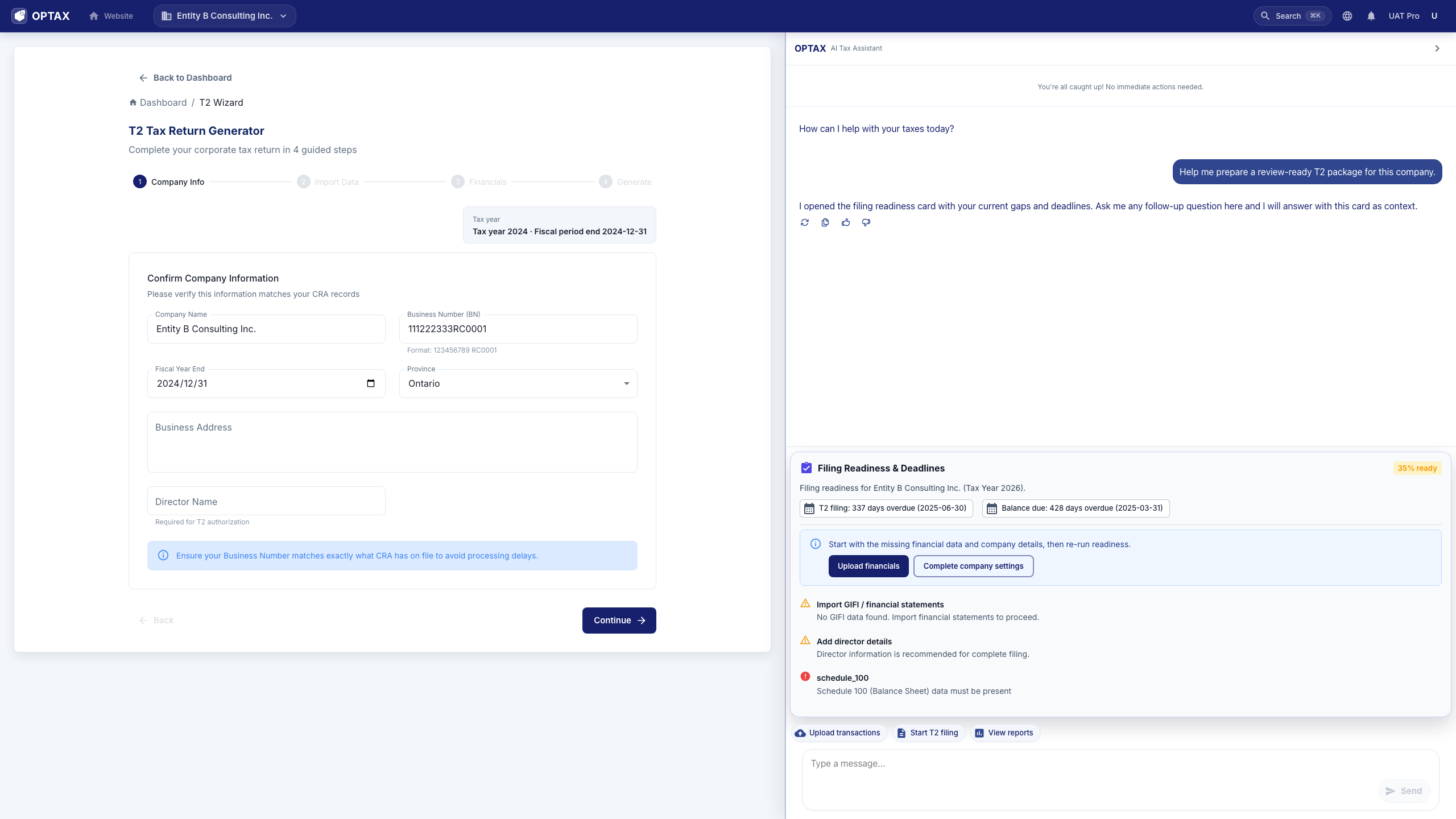
01
Conversation drives the workflow
Ask what is missing, review the assistant's next action, and keep the filing job centered on the T2 result.
02
Readiness before output
See blockers, source records, and GIFI mapping questions before a package is generated.
03
Clear filing boundary
OPTAX prepares review-ready materials; the corporation or authorized representative still reviews and files through CRA channels.
Quick Start Guide
01
1
Create Account
Register in seconds with Google or Email.
02
2
Connect Data
Securely link your bank accounts and upload receipts.
03
3
AI Analysis
AI categorizes transactions and prepares the T2.
04
4
Download Package
Review the draft, download your T2 PDF, and submit through CRA My Business Account yourself.